1
Choose Your Premium Plan
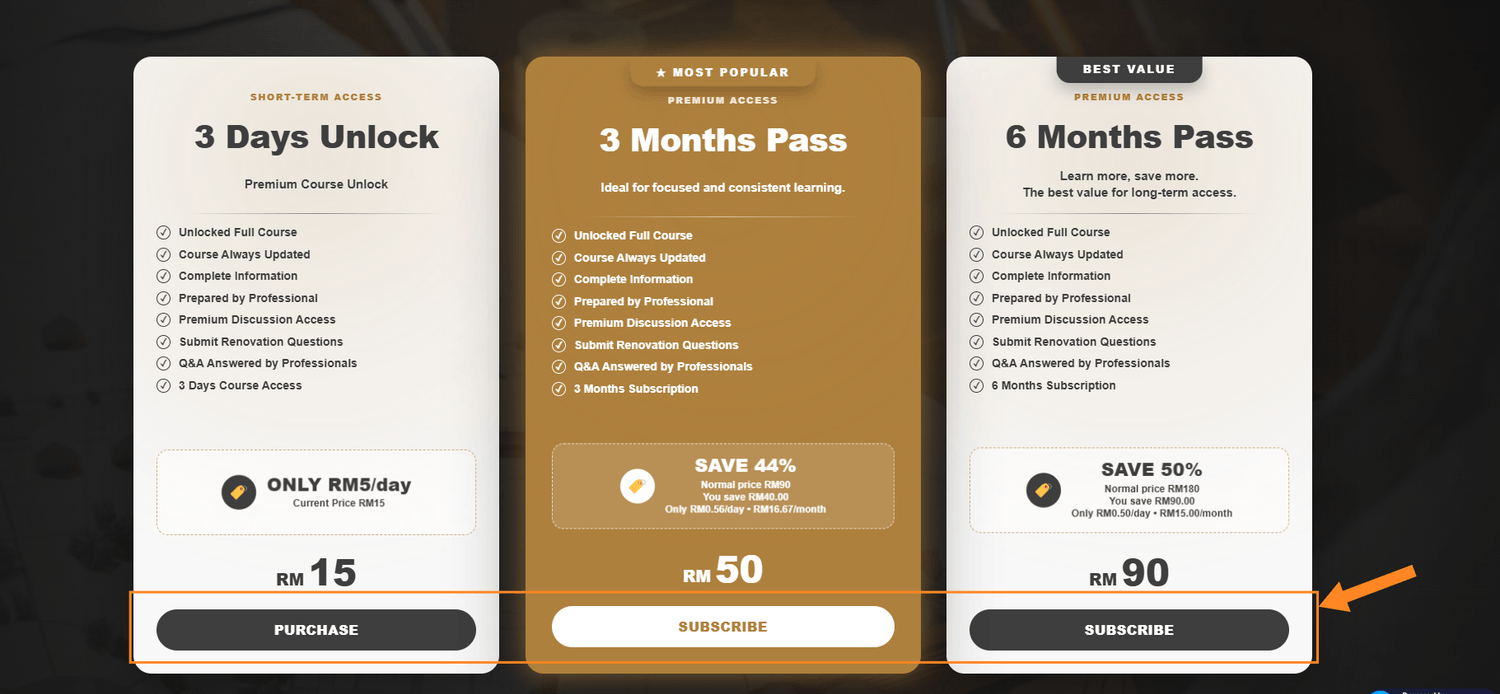
Visit the Cantikwall Academy pricing page and choose the Premium access plan that suits you. Click the purchase or subscribe button on your preferred plan to continue.
Follow these six simple steps to purchase Premium access, activate your account, create your password and start learning inside Cantikwall Academy.
Visit the Cantikwall Academy pricing page and choose the Premium access plan that suits you. Click the purchase or subscribe button on your preferred plan to continue.
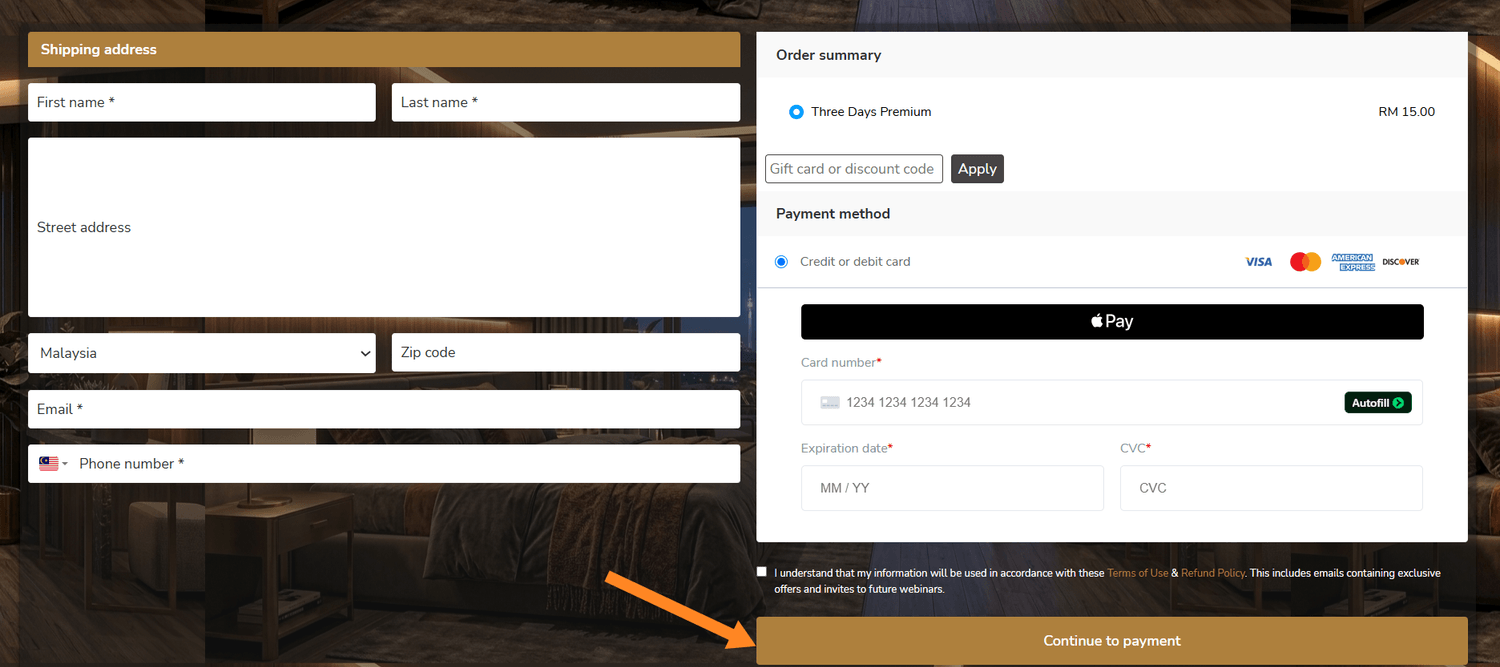
Fill in the required billing and payment details, review your order, and complete payment for your selected Premium plan.
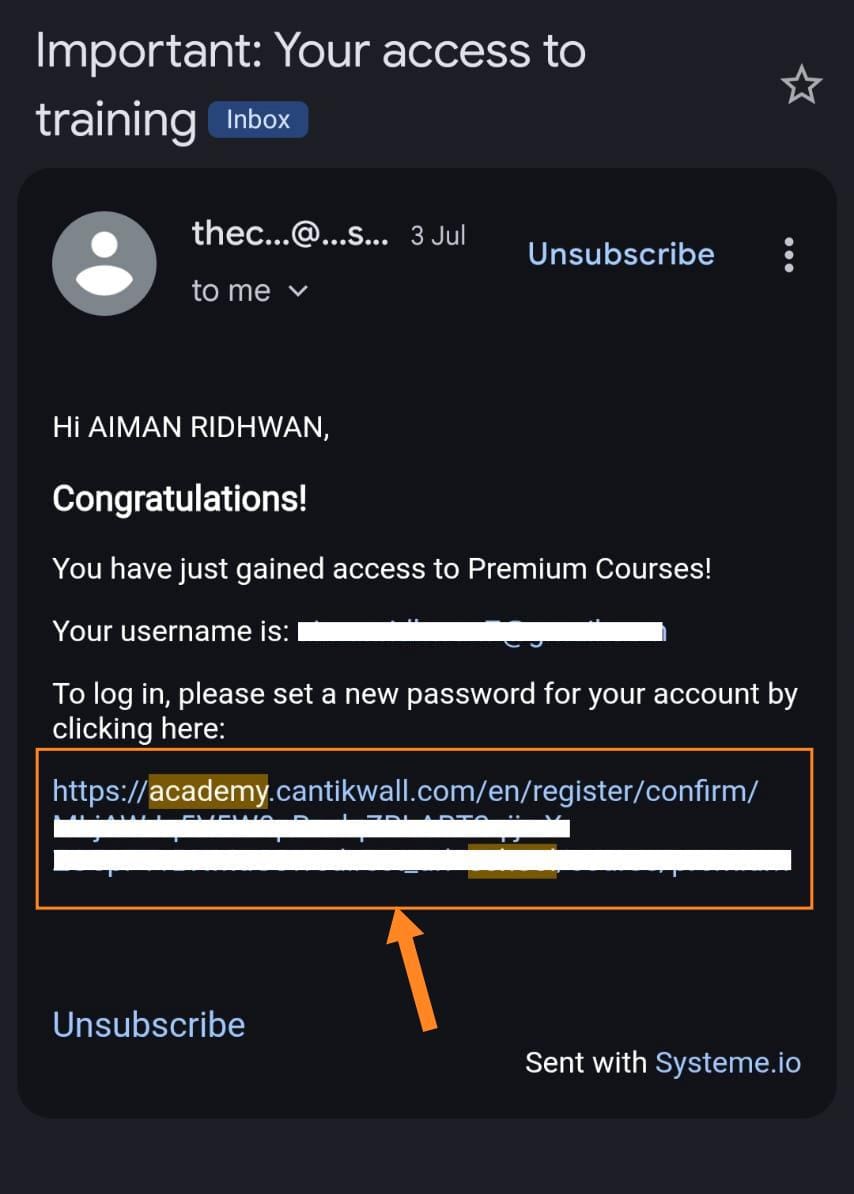
After payment, check your email for the Cantikwall Academy Premium access message. Open the email and use the link provided to create or reset your account password.
Once your new password has been successfully created, return to the Cantikwall Academy website.
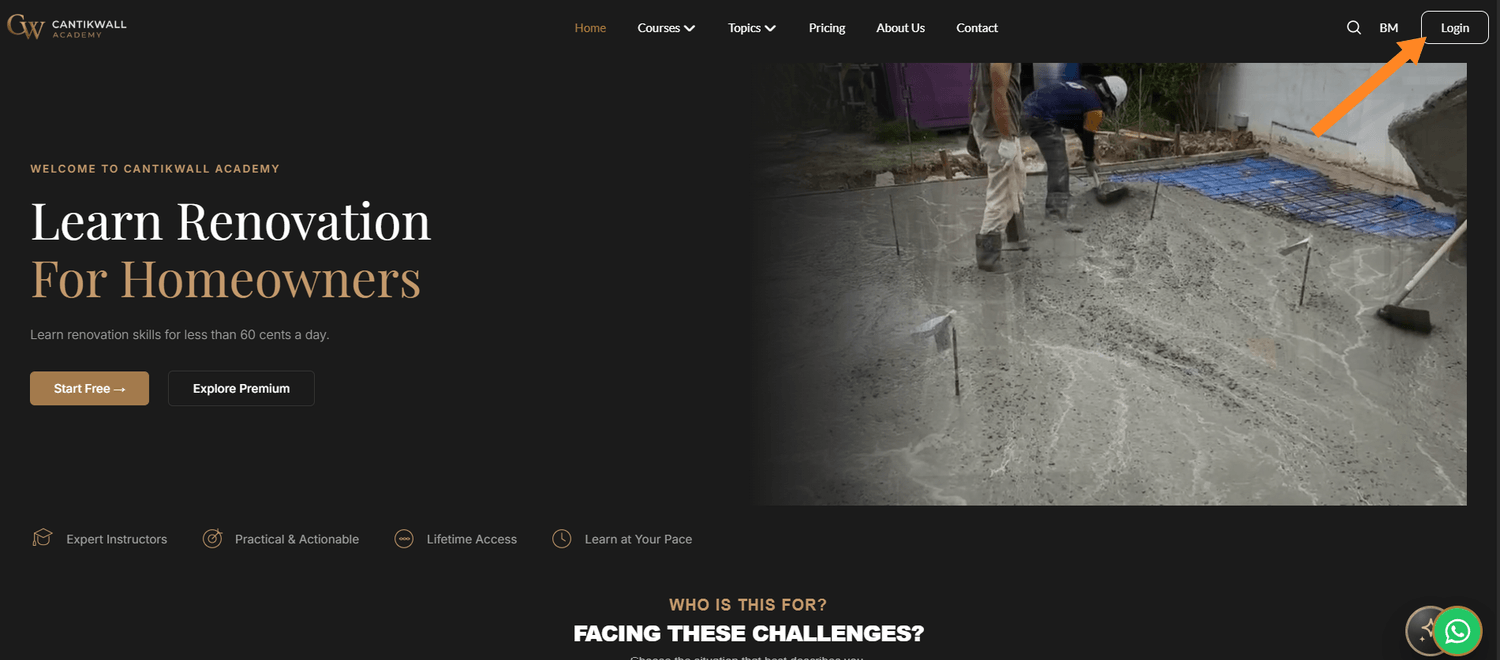
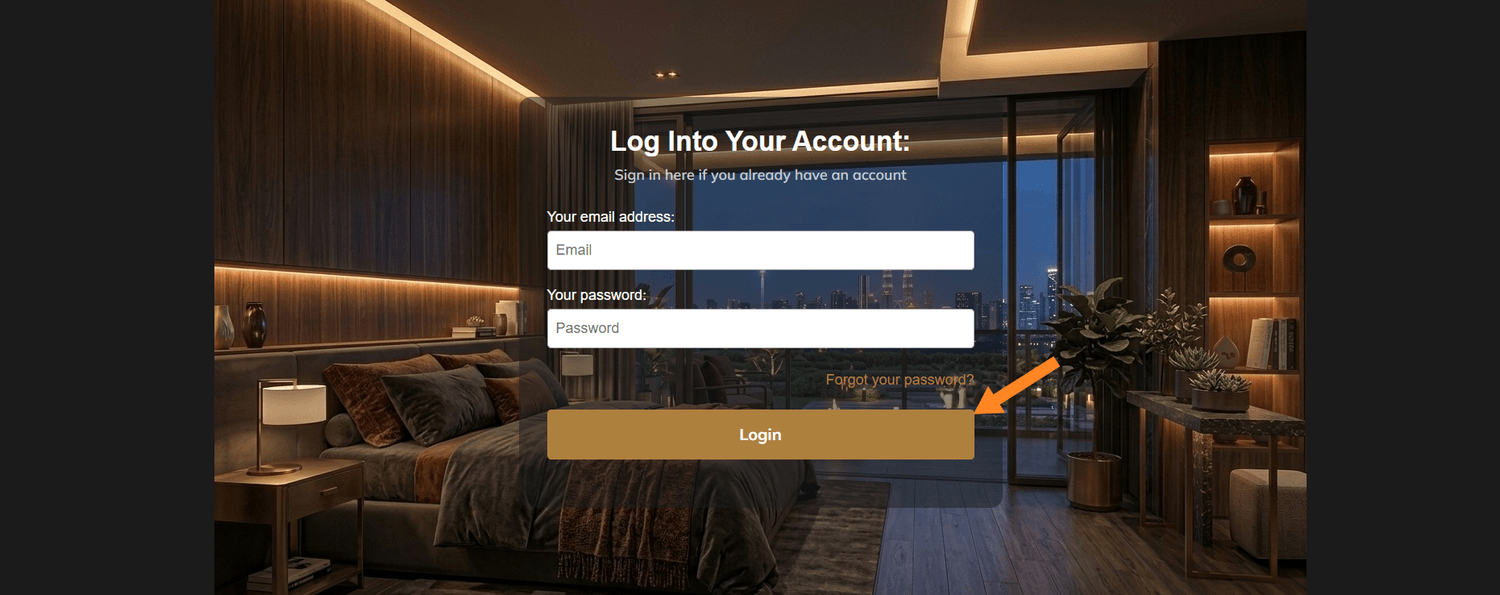
Open the login page and enter the username or email from your Premium access email, together with the new password you just registered. Then click Login.
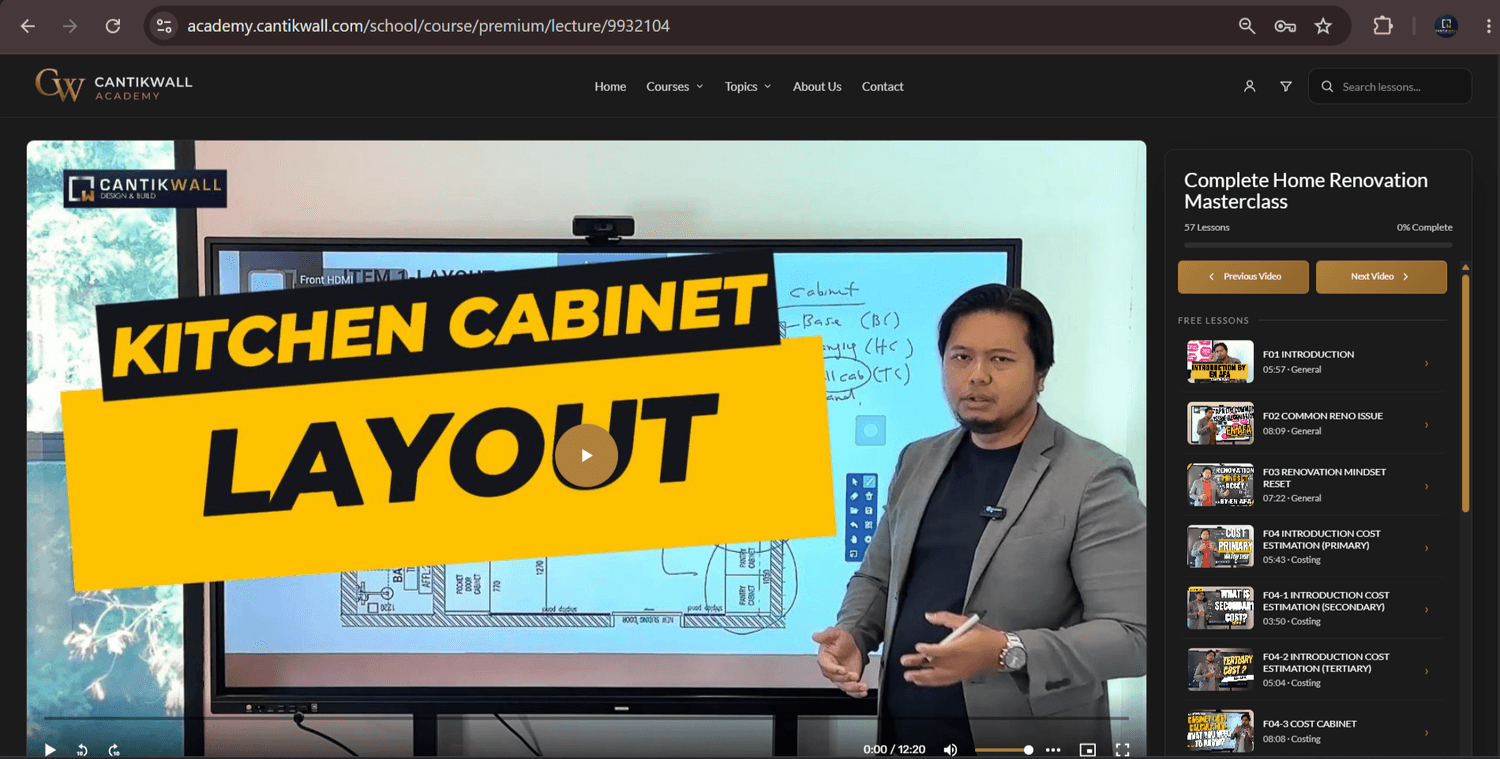
You’re in. Open your Premium course, choose a lesson, and enjoy full access to the available Premium learning content.